Every pizzeria owner has heard the pitch for kitchen screens. Here’s what a KDS actually is, how one order travels across it, and why pizza kitchens use it differently than everyone else.
The TL;DR
A kitchen display system (KDS) is a set of screens that replaces printed kitchen tickets. Orders flow from the POS to the kitchen the moment they’re placed.
Each screen shows only what its station needs. The make line sees the build, the wing station sees the wings, and expo sees the whole order come together.
Pizza kitchens work a KDS harder than most: half-and-half builds, stacked modifiers, fixed bake times, and multi-pie orders that have to finish together.
The best pizza KDS is built into the POS, puts every order channel in one queue, and tells the pass whether an order is paid.
The Printer Runs Out at 6:40 on a Friday
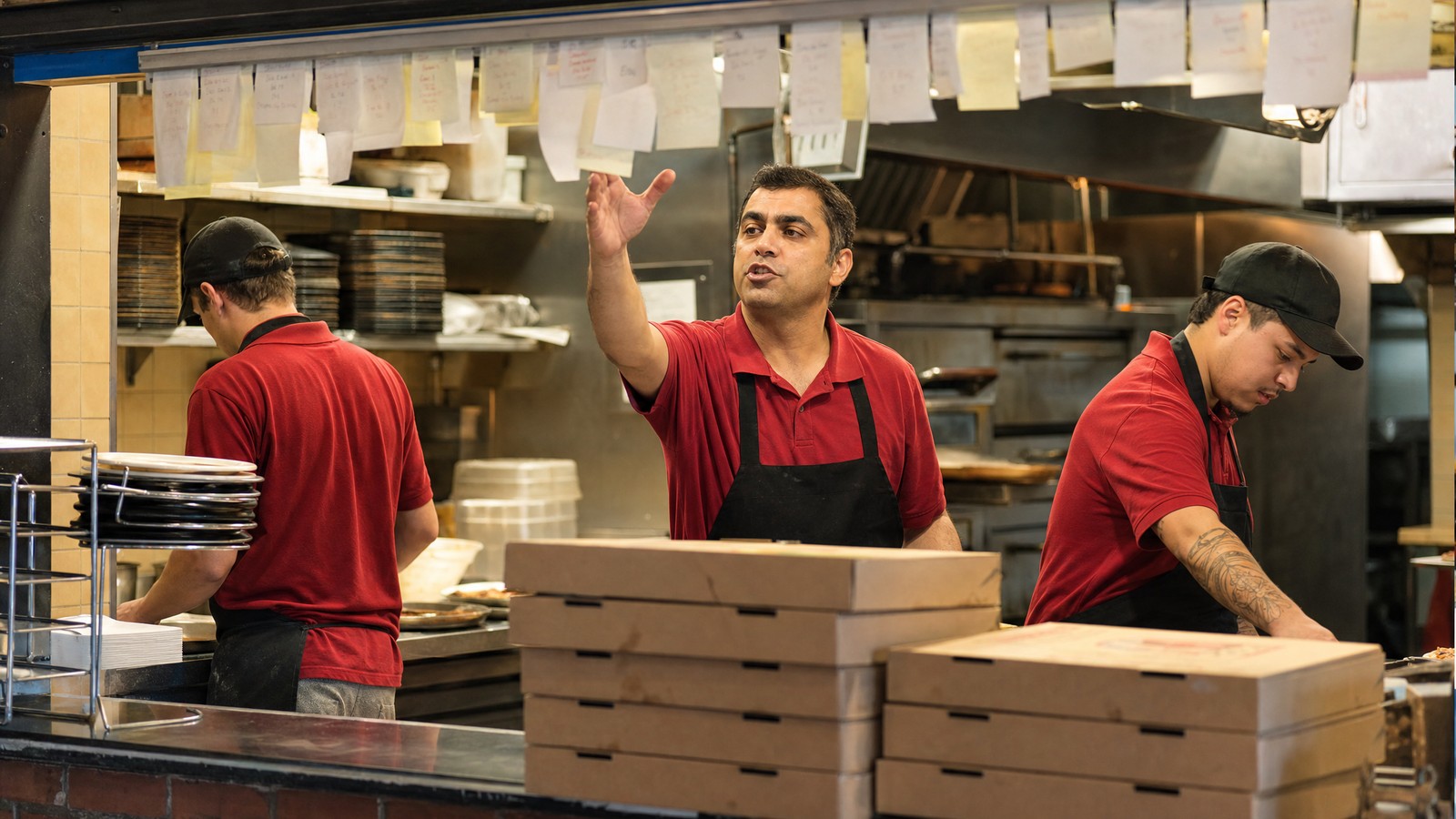
Three callers are on hold. Online orders are stacking up. At the make line, the ticket printer chatters out one more order, then a pink stripe, then nothing. Out of paper.
Someone runs to the office for a roll while orders keep landing, invisible to anyone holding a dough skin. When the printer comes back, it spits out nine tickets in a long curl, and the cook has to sort out which came first. A minute and a half of dead air at the start of the rush turns into an hour of long quotes and apologetic drivers.
Every pizzeria that runs on paper has a version of this night. It’s the problem a kitchen display system was built to solve.
What Is a KDS?
A kitchen display system, or KDS, is a set of screens in the kitchen that shows orders in real time as they’re placed at the point of sale. It replaces printed tickets. Cooks read the order on the screen, make it, and mark it done with a tap or a bump bar. The system moves the order to the next step and records a timestamp at every stage.
A typical KDS has three parts:
- Screens. Mounted at each station, usually over the make line, at the oven exit, and at the pass, out of the splash zone.
- A bump bar or touchscreen. A bump bar is a small, wipeable keypad a cook can hit with a knuckle when an item is done. A touchscreen does the same job.
- Software connected to the POS. This is the part that matters. It decides which items go to which screen, in what order, and what happens when someone marks one complete.
The screens are what you see. The software is the system.
How an Order Moves Through a KDS in a Pizza Kitchen
Follow one order: a large half pepperoni, half mushroom with light sauce, a dozen wings, and a Caesar salad, placed online for delivery at 6:12 p.m.
- The order lands in the POS. Counter, phone, and online orders arrive in the same system. When the POS is integrated with the delivery apps, third-party orders land there too, instead of on a separate tablet by the register.
- The KDS splits it by station. The make line sees the pizza with the build spelled out: size, crust, sauce level, and toppings by half. The wing station sees the wings. Whoever makes salads sees the Caesar. Nobody reads anything they don’t need.
- Priority decides what comes first. Rules set by order type keep a delivery with a quoted time from getting buried behind a stack of walk-in orders.
- Cooks bump as they finish. The pizza maker bumps the pie when it goes into the oven. The wing cook bumps the wings when they come out of the fryer. Every bump is timestamped.
- Expo watches the order come together. At the pass, one screen shows every item on the order, which ones are finished, and which are still working. It also shows whether the order is paid, so a prepaid delivery and an unpaid carryout don’t get handed off the same way.
- The order is bumped out. Expo clears the order when it’s bagged and handed to a driver or a customer. Its total time becomes part of the night’s data.
On paper, every one of those handoffs depends on someone reading a ticket correctly and remembering where it went. On a KDS, the system keeps track.
| | Paper Tickets | Kitchen Display System |
|---|
| Order arrival | Prints when the printer has paper and a connection | Appears on screen as soon as it’s placed |
| Half-and-half builds and modifiers | Small print, easy to smudge or skim past | Laid out clearly at the station that needs them |
| Online and delivery app orders | Often on separate tablets or printers | In one queue with every other order |
| Order status | Lives on the rail and in someone’s head | Visible at every station and at the pass |
| Ticket times | Estimated | Recorded at every bump |
| After close | Tickets go in the trash | Data on volume, item counts, and speed |
Why Pizza Kitchens Use a KDS Differently
A burger counter and a pizzeria can both hang screens in the kitchen. They don’t ask the same things of them.
- Half-and-half is normal. One pie can carry two topping builds, a sauce change, and a crust choice. The make line needs that laid out by half, not crammed into one line of text.
- Modifiers stack up. Extra cheese, light sauce, well done, no onions on the left. Every one of them is a remake if it gets missed.
- Bake time is fixed. Once a pie enters a conveyor or deck oven, the clock is set. The only thing the kitchen controls is when it goes in.
- Multi-pie orders have to land together. Five pizzas, two orders of wings, and breadsticks need to reach the cut table in the same window, or the first pizza sits while the last one bakes.
- Delivery and carryout run on promises. The kitchen is working against a time someone already quoted to a customer.
Those promises carry real weight with customers. Intouch Insight’s 2026 pizza delivery and carryout study, run with PMQ Pizza, placed 600 mystery-shop orders at 10 large and mid-size pizza chains. Two findings stand out for anyone running a kitchen:
~50 points
How much higher overall satisfaction ran when customers were happy with the speed of service.
53+ points
How much higher overall satisfaction ran when the pizza arrived warm.
Speed and temperature are both kitchen problems before they’re driver problems. In a pizza kitchen, a KDS protects timing. The pie, the wings, and the sides finish together, and the order leaves hot at the time you quoted.
A pizza that waits at the pass for its wings isn’t a fast pizza. It’s a cold one.
See a KDS built for the way pizza is made.
Adora’s KDS routes orders by station, prioritizes by order type, shows live queue and item counts, and flags paid and unpaid orders at the pass, all inside the POS.
Schedule a Demo →
What to Look for in a Pizza KDS
If you’re evaluating kitchen screens, these questions separate a pizza KDS from a generic one.
- Is it built into the POS? A KDS bolted on from a separate vendor adds another login, another support line, and another gap where an order can fall between systems.
- Does every channel land in one queue? Counter, phone, online, and delivery app orders should share the same screens.
- Can you set up stations your way? Every kitchen is laid out differently. You should decide which items route to which screen and how many screens you run.
- Does it prioritize by order type? Delivery, carryout, and dine-in run on different clocks.
- Can a manager read the rush in real time? Queue depth and item counts during the rush show where to move people before orders back up.
- Does the pass know who has paid? Clear paid and unpaid indicators keep the handoff clean.
- Does it run on hardware you choose? You should decide what screens hang in your kitchen, not your POS vendor.
Adora’s Kitchen Display System is built into the POS and covers the core of that list: multiple station configurations and layouts, automatic priority by order type, real-time queue and item-count KPIs, and clear paid and unpaid order indicators. Once the screens are up, our 8 KDS tips for a faster pizzeria kitchen cover station layout, modifiers, and running the queue during a rush.
A KDS Across Multiple Locations
For a pizza brand with several stores, the KDS becomes a consistency tool. When every location runs the same station setup off the same POS, a cook who learned the make line at one store can step onto the line at another and read the screens the same way.
The numbers line up too. Queue and item-count data give an ops director a shared language for every kitchen, so a store that falls behind on Friday nights shows up as a pattern instead of a rumor. It’s one reason a pizza POS fits growing brands better than a generic restaurant POS: the kitchen tools are built around how pizza is actually made, and Adora’s multi-store tools carry that across every location.
Paper Had a Good Run
Ticket rails worked for decades because the job was simpler: a counter, a phone, maybe a fax for the office lunch order. Today a pizzeria takes orders from four or five directions at once, and a printer can’t keep track of all of them.
Operators know where this is heading. In the National Restaurant Association’s 2024 Restaurant Technology Landscape Report, 52% of operators said they planned to invest in technology to boost productivity or efficiency in the kitchen.
A KDS gives the kitchen one queue, one clear view of every order, and a record of how the night went. If you want to see one built for pizza, book a walkthrough with Adora.