Paper tickets and chirping tablets turn a Friday rush into a guessing game. These eight kitchen display system tips help pizzerias fire orders in the right sequence, cut remakes, and keep the oven moving.
The TL;DR
A KDS pulls every order channel into one live queue, routed to the right station and prioritized automatically.
The biggest gains come from setup: fire long bakes first, make modifiers impossible to miss, and give every station its own screen.
Watch queue depth and paid or unpaid flags during the rush, while there’s still time to act on them.
Tie kitchen pace to promise times, inventory planning, and menu tests so the KDS informs the whole operation.
Saturday, 6:15 p.m.
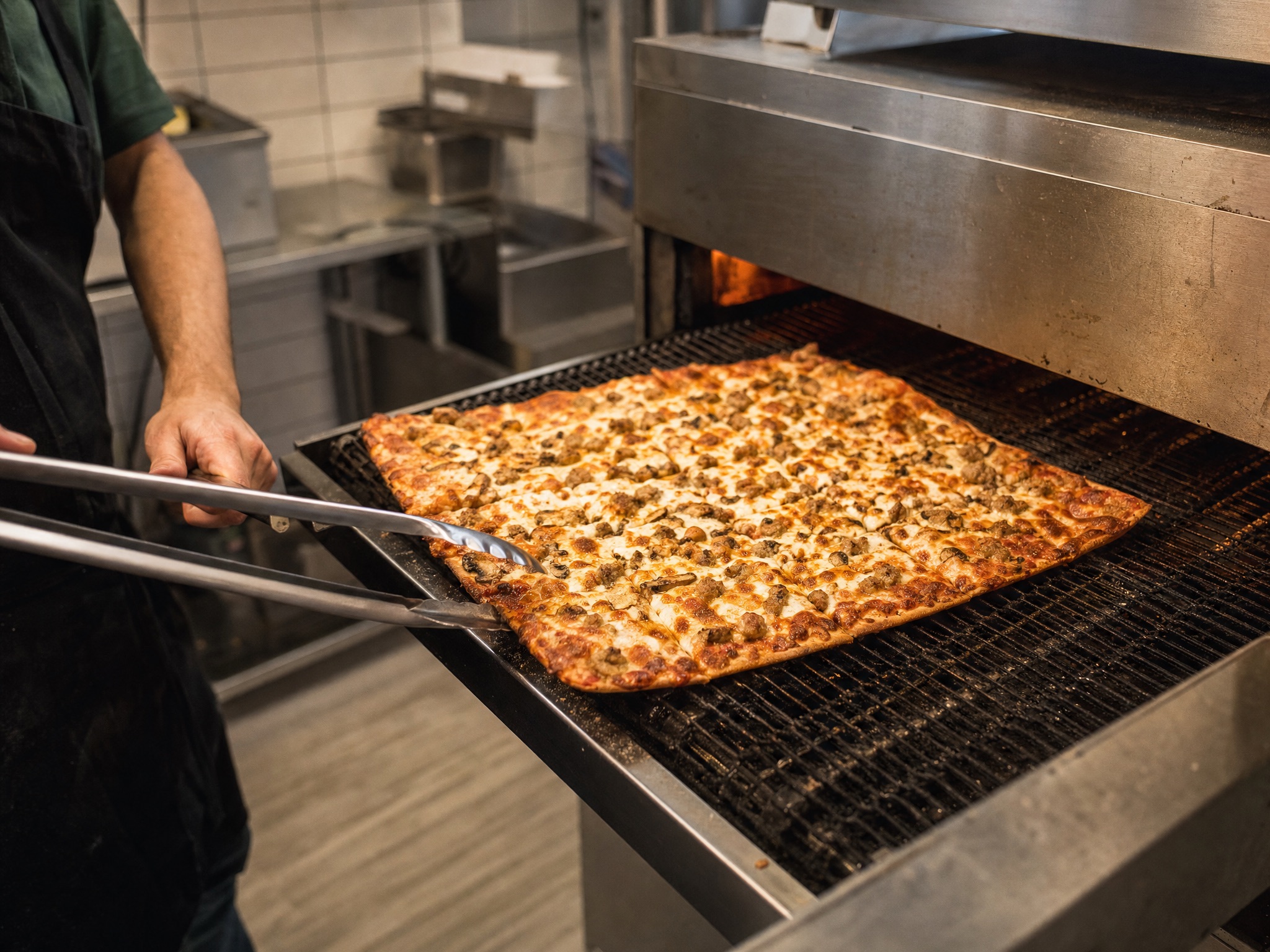
The printer is spitting tickets. Two delivery tablets are chirping on the counter. The oven tender pulls a deep-dish that was fired eight minutes late because its ticket got buried under four thin-crust carryouts, and now the rest of that order sits under the heat lamp waiting for it.
Nobody on the line did anything wrong. The kitchen just didn’t have a clear, shared picture of what to make next. That’s the problem a kitchen display system solves, if it’s set up well.
What Is a Kitchen Display System?
A kitchen display system (KDS) is a set of screens that replaces printed tickets in the kitchen. Orders flow from the POS to the displays in real time, routed to the station that makes each item and sorted by priority. Cooks mark items complete, expo watches the full ticket come together, and managers see how fast the kitchen is actually moving.
In a pizzeria, a single order can include a deep-dish, a thin crust, wings, and a salad, each with its own timing. Routing and sequencing those items is where a KDS earns its place. Here’s how to get the most out of one.
1. Put Every Order Channel on One Screen
Dine-in, carryout, phone, online, and third-party delivery orders all compete for the same oven. When they arrive on separate printers and tablets, someone on the line becomes the human router, and orders wait on a device nobody is watching. A KDS consolidates every ticket into one queue so the kitchen works from a single list.
With Adora’s KDS, orders flow from the POS straight to the kitchen displays, routed by station and prioritized automatically by order type, with a manual override for expo or the shift lead.
Try this: Sequence by bake time, not just arrival. Fire deep-dish and other long bakes first so every item in a multi-pie order lands at the pass together, and let expo own the override on rush nights.
2. Make Modifiers and Allergy Notes Impossible to Miss
Half-and-half toppings, light sauce, well-done, gluten-free crust. Every pizzeria has its own set of details, and most remakes trace back to one a cook didn’t see. A remake costs food, labor, and oven space at the worst possible moment.
Most remakes don’t start at the oven. They start with a modifier nobody saw.
Try this: Pull five remakes from last week and trace each one back to how the ticket looked on screen. If the miss was a buried modifier or allergy note, fix the layout before the next weekend.
3. Give Every Station Its Own Screen
A pizza kitchen runs on handoffs. Station routing sends each part of an order where it belongs: pizzas to the make line, wings to the fryer, salads to the cold station. Each cook sees only what they need to make, and expo sees the full ticket with completion status from every station.
Adora supports multiple station configurations and layouts, so the screens can match how your kitchen is physically built. For a deeper look at routing, read why your KDS should run the kitchen, not just display it.
Try this: Before configuring stations, walk one large order through the kitchen from ticket to pass and note every handoff. Build your routing around that path.
4. Watch the Queue While the Rush Is Happening
An end-of-night report tells you the kitchen fell behind at 6:30. That’s useful on Monday and useless at 6:30. Adora’s KDS shows real-time queue and item-count KPIs right on the screen, and managers can set KPI alerts for queue times so a backup gets flagged as it builds.
Try this: Set a target ticket time for each order type and share it with the line. When queue depth climbs past it, the shift lead pulls someone off prep or dish before the oven backs up.
5. Close the Paid and Unpaid Gap at the Pass
During a carryout rush, an unpaid pie can leave the building with nobody noticing until the drawer comes up short. Adora’s KDS shows clear paid and unpaid indicators on every order, so the pass knows which tickets still need to be settled.
Try this: Make it a standing rule that no unpaid ticket leaves the pass without the counter confirming payment. The indicator only works if the team acts on it.
See a KDS built around how pizza kitchens actually run.
Adora’s KDS routes orders by station, prioritizes by order type, and shows live queue KPIs and paid or unpaid flags on every screen.
Schedule a Demo →
6. Connect Kitchen Timing to What Customers See
A static “30 to 45 minutes” quote is wrong on a slow Tuesday and wrong again on a packed Friday. When the kitchen’s real pace feeds the customer-facing side, promise times get honest and the phone rings less. Adora bases delivery promise times on actual kitchen throughput, and curbside arrival texts sync with production timing so the order is ready when the customer pulls in.
Try this: Compare your quoted times with your actual ticket times for two weekends. If the gap is consistent, your quotes are training customers to call the store.
7. Let Kitchen Data Drive Inventory and Menu Decisions
Every ticket the kitchen completes is a record of what it actually made. Connected to inventory, that usage becomes prep and purchasing guidance. Adora’s inventory tools generate dough projections and purchasing suggestions from actual usage and sales forecasts, so the morning dough count reflects what the ovens really went through.
Try this: When you launch a limited-time pie, watch its item counts and the queue on the screen for its first two weekends. A pie that sells but jams the make line needs a prep change before it earns a permanent spot.
8. Build the Layout With the People Who Use It
The cooks working the screens know exactly where the friction is: the ticket that scrolls off too soon, the modifier that sits in the wrong spot, the station that sees items it doesn’t make. A clean workflow makes shifts less stressful, and a team that trusts its tools adopts them faster.
Try this: Two weeks after any layout change, hold a ten-minute huddle with each station. Collect the complaints, then change one thing at a time so you can tell what helped.
Keep the Pizza Flowing
A KDS does its best work as one part of a single system. Adora connects pizza-first ordering, delivery, KDS, and loyalty on one platform, so the kitchen screen, the promise time, and the dough projection all come from the same data. Schedule a demo to see Adora’s KDS running a pizza workflow from ticket to pass.